One main app, seven favorites
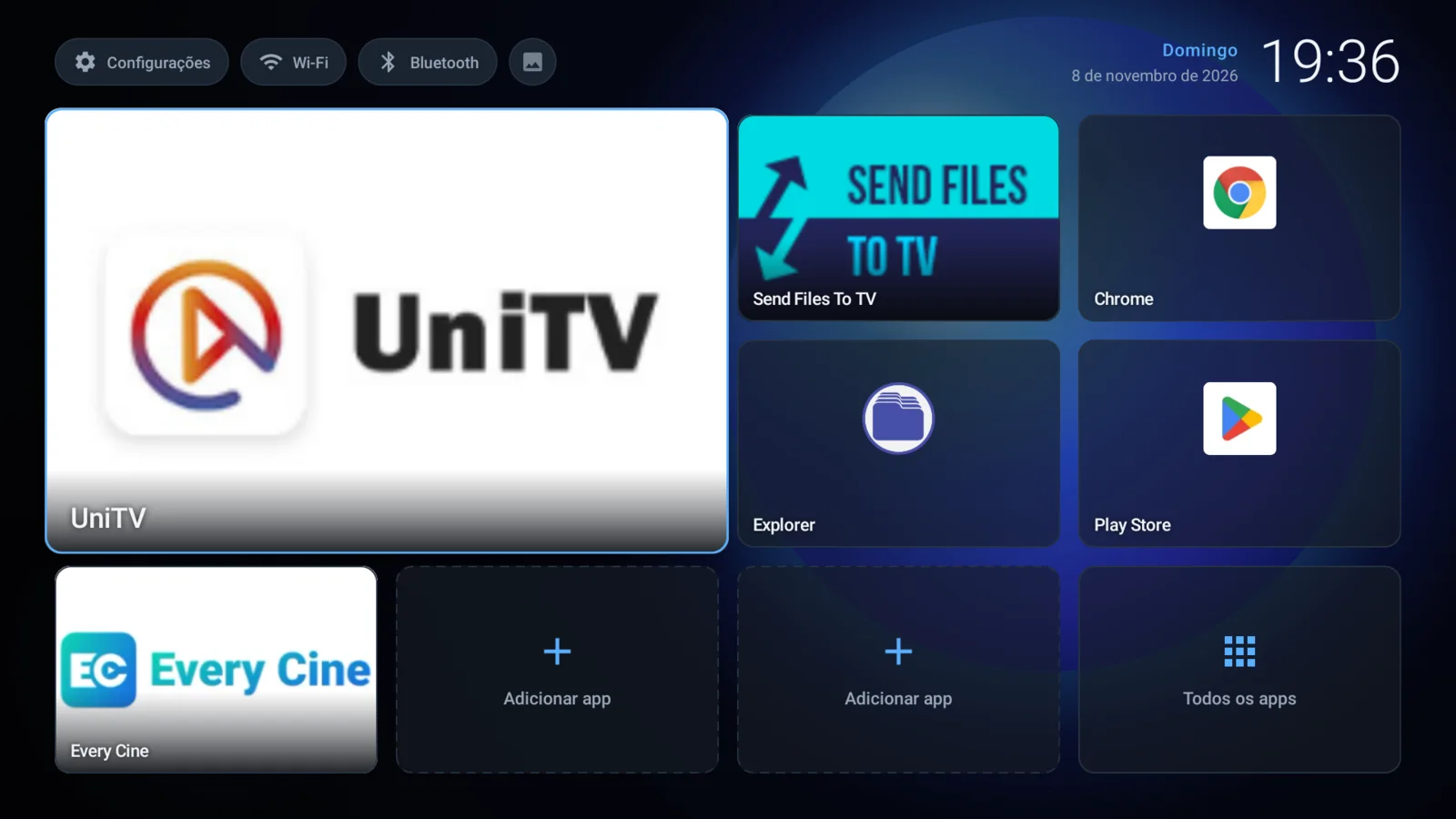
Put the app you open most on the big tile. Fill the other slots yourself; empty ones stay empty.
Version1.5
llauncher replaces the cluttered vendor launcher with one main tile, seven favorites and a clean grid of every app. No ads, no account, no internet access.
Download llauncher 1.5For Android 7.0 or newer. 0.9 MB.
Compare this SHA-256 with what sha256sum prints for the file you downloaded.
0d2ee9f87500efabaaa3e4890e3f4e0db160e044f5754aca4023ad7cf333521cPut the app you open most on the big tile. Fill the other slots yourself; empty ones stay empty.
Every tile is reachable with the D-pad. Hold OK for options: change, move or remove.
No ads, no tracking, no sign-in. The app doesn't even ask for internet permission.
Use the small icon next to Bluetooth to pick an image from a USB drive. Hold OK on it to bring back the blue orb.
Copy the APK to a USB drive and open it on the box. Allow installs from unknown sources when Android asks.
Connect to the box, then run:
adb install -r llauncher-1.5.apk
adb shell cmd package set-home-activity dev.lveiga.llauncher/.MainActivityPress Home and choose llauncher when Android asks which home app to use. The adb command above sets it directly.
This is a debug-signed build. Updates install over earlier downloads from this page, not over a build signed with a different key.